Home
»
How It Works
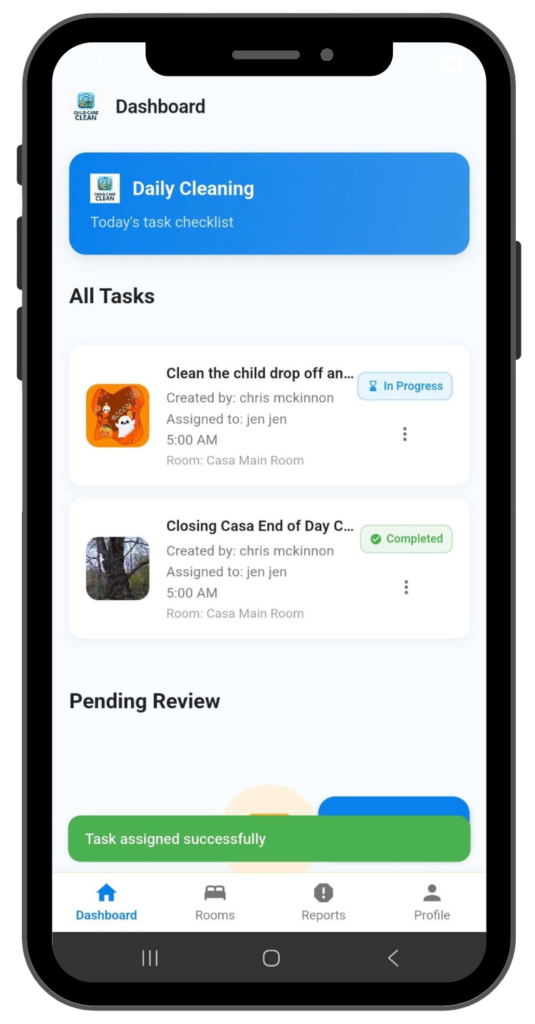
1. Owner Dashboard
View all task status in real-time: completed, in-progress, pending review
Create, edit, and delete tasks & checklists
Add new rooms and categories to organize your facility
Track staff attendance and performance in your facility
Access instant reports and analytics
Receive alerts for overdue or missed tasks
Manage and assign staff tasks
2. Staff Dashboard Overview
Staff see assigned tasks clearly
Easy view of tasks completed, due, and overdue
Start task checklist and submit proofs seamlessly
3. Add Rooms
Create customized rooms: toddler room, infant room, preschool
Define specific task routines for each room according to daily operations
Add descriptions and room-specific notes
Add as many rooms as you desire
4. Create Tasks
Add detailed task title
Create 1-20 task actions
Set estimated completion time and category level
5. Assign task and schedule to a staff member
Set recurring schedules for daily, weekly, monthly, or yearly tasks
Assign tasks to teachers, staff, or janitors
Set start times, due times, and alert notifications
Staff will receive assigned tasks in their personal dashboard
6. Add Reference Pictures & Notes
Upload reference photos
Set baseline standard for quality cleaning
Add special instructions and notes
7. Owner Review & Approval
Owner receives push notifications
Review submitted proofs and photos
Approve or return tasks
8. Reports & Analytics (Monitoring & Performance)
Track task completion rates
Room performance
Overdue task summaries
Staff performance
9. Janitorial Integration
Integrate external janitorial teams
Provide clear task checklists
Track third-party completion
10. Chat & Communication
Message between staff, owners, and janitors
Real-time communication